Email deliverability & inbox placement
How emitd protects your sender reputation with SPF, DKIM, DMARC, custom Return-Path, dual streams, automated suppressions, and compliance with Google and Yahoo sender guidelines.
Delivering email to the primary inbox — not the spam folder — is a core design principle of emitd. Every layer of the platform, from edge verification to DNS records and bounce handling, is built to satisfy modern mailbox provider requirements.
This guide details how emitd ensures maximum inbox placement and how to configure your sending setup for optimal deliverability.
Modern sender requirements (Google & Yahoo)
Major mailbox providers (including Gmail, Yahoo Mail, Microsoft 365, and Apple Mail) enforce strict authentication and deliverability thresholds:
| Requirement | Industry Standard | How emitd Handles It |
|---|---|---|
| SPF & DKIM Authentication | Mandatory for all custom sending domains | Automatic 2048-bit RSA DKIM + custom Return-Path SPF alignment. |
| DMARC Policy | Mandatory v=DMARC1; p=... record on root domain | Full alignment via custom Return-Path (mail.<domain>) and BYODKIM (relay._domainkey). |
| Spam Rate Threshold | Must stay strictly below 0.10 % (never exceed 0.30 %) | Real-time spam complaint webhooks, automatic recipient suppression, and reputation analytics. |
| One-Click Unsubscribe | RFC 8058 List-Unsubscribe & List-Unsubscribe-Post headers | Included automatically on all broadcast message streams with zero manual code. |
| Reverse DNS (PTR) | Sending IP must resolve to valid hostname with matching A record | Managed automatically on all emitd tier-1 AWS SES edge MTA pools. |
Authentication: SPF, DKIM, and DMARC
Deliverability starts with cryptographic authentication. emitd configures your domain to achieve 100 % DMARC alignment:
1. DKIM (DomainKeys Identified Mail)
DKIM attaches an RSA-2048 cryptographic signature to the email header. When receiving mail servers (like Google or Microsoft) inspect the message, they fetch your public key from your DNS at relay._domainkey.<yourdomain.com> and verify that the message body was not altered in transit.
emitd offers two ways to configure DKIM:
- Bring-Your-Own-DKIM (BYODKIM): A single 2048-bit TXT record with selector
relay. This eliminates fragile 3-CNAME delegations and works on all DNS providers. - Easy DKIM (CNAME tokens): Standard 3-record CNAME delegation managed by AWS SES.
2. SPF (Sender Policy Framework) & Custom Return-Path
Standard email sending often shares an envelope sender (MAIL FROM), which causes SPF to pass for the vendor's domain, not your domain.
emitd provisions a dedicated subdomain (such as mail.<yourdomain.com>) as your custom Return-Path:
- MX record pointing to
feedback-smtp.<region>.amazonses.com - TXT record:
v=spf1 include:amazonses.com ~all
Because the envelope sender matches your domain (mail.yourdomain.com), SPF passes with relaxed alignment (aspf=r), satisfying DMARC requirements completely.
3. DMARC (Domain-based Message Authentication)
DMARC specifies what receivers should do if an email claiming to be from your domain fails SPF or DKIM.
To get started, publish a TXT record at _dmarc.<yourdomain.com>:
Name:  _dmarc
Type:  TXT
Value: v=DMARC1; p=none; rua=mailto:dmarc-reports@yourdomain.com; aspf=r; adkim=r;
Recommended policy progression:
p=none(Monitoring mode): Inspect aggregate reports without blocking any emails.p=quarantine(Soft enforcement): Suspicious emails land in the spam folder.p=reject(Strict protection): Unauthorized emails are rejected at SMTP level, stopping spoofing and phishing completely.
Separating message streams
A critical mistake in email infrastructure is sending marketing broadcasts over the same channel as password resets. If a marketing blast generates high unsubscribe or spam complaints, transactional emails (like login OTPs) get delayed or routed to spam.
emitd solves this with built-in message streams:
{
  "from": "auth@yourdomain.com",
  "to": ["user@example.com"],
  "subject": "Your login code",
  "html_body": "<p>Your code is 123456</p>",
  "message_stream": "outbound"
}{
"from": "news@yourdomain.com",
"to": ["user@example.com"],
"subject": "Our spring release is live",
"html_body": "<p>Discover the latest features...</p>",
"message_stream": "broadcast"
}outbound(Transactional): High-priority queue, dedicated IP reputation, strictly for 1-to-1 operational emails (order confirmations, security codes, receipts).broadcast(Promotional): Bulk delivery, automated RFC 8058 one-click unsubscribe headers, rate-pacing, and audience segment filtering.
Automated suppression list management
Sending email to invalid addresses (hard bounces) or users who flagged your email as spam damages your domain reputation across all mailbox providers.
emitd maintains an automated tenant suppression list:
- Hard bounces (5xx): When an email bounces permanently (e.g.
mailbox does not exist), emitd immediately adds the recipient to your suppression list. - Spam complaints: When a recipient clicks "Report Spam" in Gmail or Yahoo, a Feedback Loop (FBL) event fires, and emitd instantly suppresses that address.
- Manual suppression: You can query, add, or delete suppressions via the Suppressions API or Console.
Subsequent send attempts to a suppressed address return 200 OK with { "status": "suppressed" } without sending to the network or counting against your SES sending quota.
Warming up a new domain
Mailbox providers track sending patterns. Suddenly blasting 50,000 emails from a brand-new domain or IP triggers automated rate limits and spam filters.
Follow this progressive warmup schedule when launching a new domain:
| Day | Max Emails / Day | Focus |
|---|---|---|
| Days 1–3 | 100 – 500 | Transactional only (signups, password resets). Highly engaged recipients. |
| Days 4–7 | 1,000 – 2,500 | Transactional + high-intent notifications (active users). |
| Days 8–14 | 5,000 – 10,000 | Gradual marketing broadcast rollout to most active subscribers. |
| Days 15–21 | 25,000 – 50,000 | Broader audience segments. Monitor bounce rates carefully. |
| Day 22+ | Uncapped / Full scale | Regular sending volume with ongoing list hygiene. |
Use email validation before first send
Clean legacy contact lists with emitd's Email Validation API before sending your first campaign. Removing invalid syntax and inactive mailboxes prevents early bounce spikes during warmup.
Deliverability checklist for production
Before sending production emails, verify each item:
- Custom domain verified with 1-click Domain Connect or Cloudflare auto-publish.
- 2048-bit DKIM verified (
relay._domainkey.<domain>). - Dedicated Return-Path configured (
mail.<domain>) with MX and SPF records. - DMARC record published at
_dmarc.<domain>. - Sender address uses your verified branded domain (never
@gmail.comor@yahoo.com). - Marketing sends use
message_stream: "broadcast". - Webhook configured for
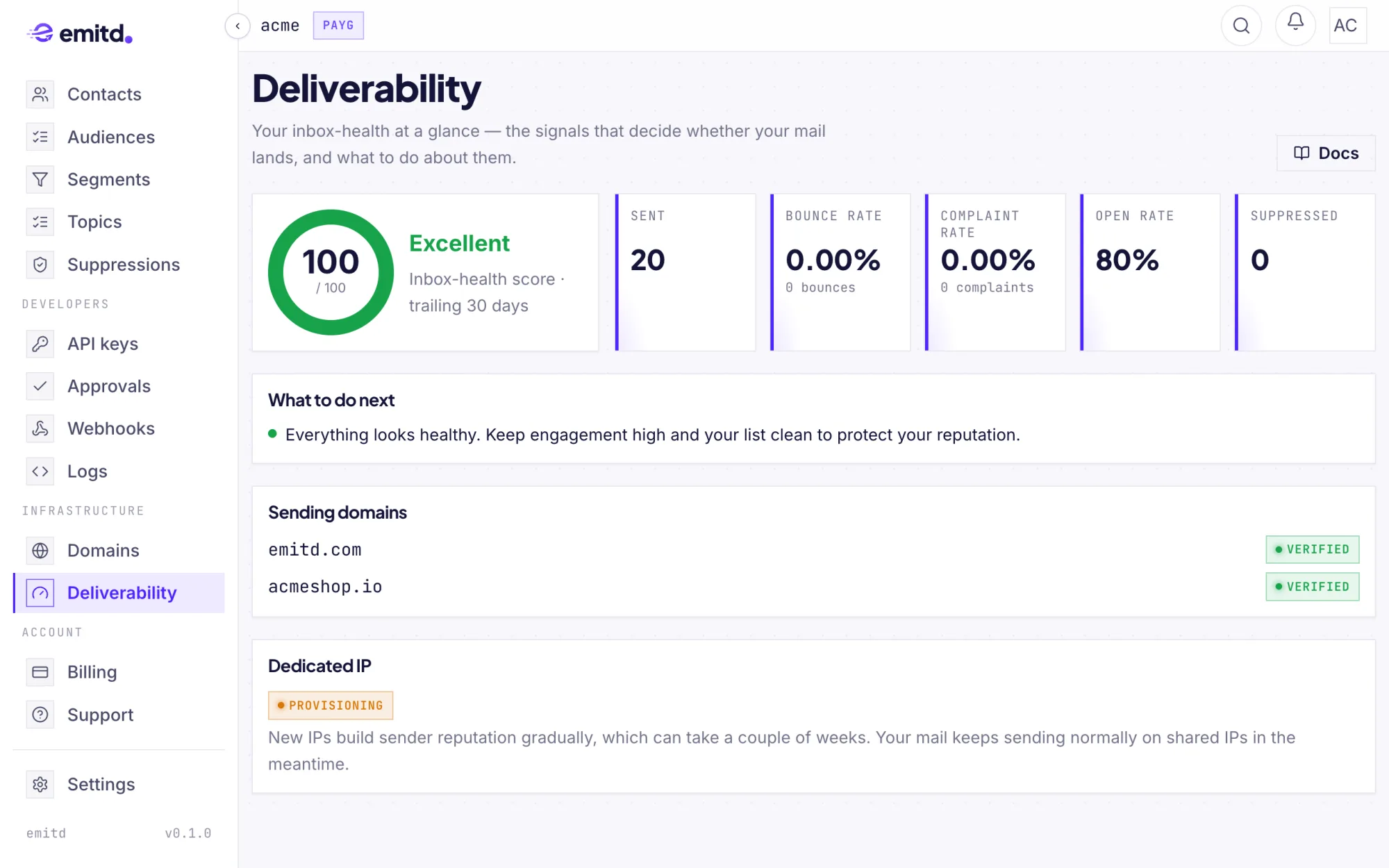
email.bouncedandemail.complainedevents to monitor deliverability in real time. - Real-time spam complaint rate remains below 0.08 % in Analytics → Deliverability.
Sending domains
Verify your custom domain with 1-click Domain Connect, Cloudflare auto-publish, zone file export, or manual DNS records.
Migrating to emitd
Step-by-step guides to migrate from SendGrid, Resend, AWS SES, Postmark, and Mailgun to emitd with zero downtime, identical webhook events, and lower infrastructure costs.