Team and security
Invite teammates, choose what each role can do, and secure how everyone signs in.
Everything here lives in the console under Settings. A workspace has no per-seat fee, so invite everyone who needs access.
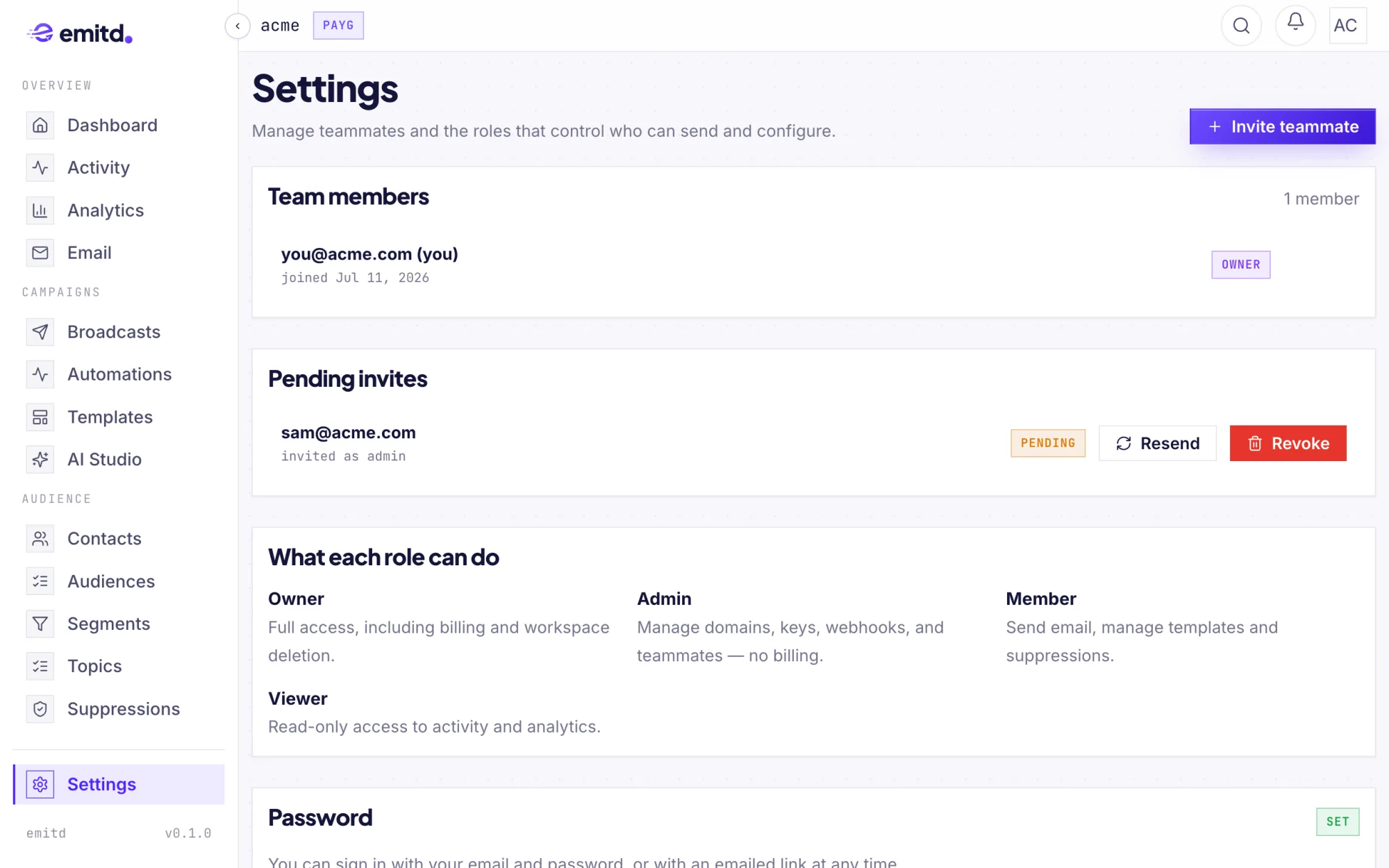
Team members and invites
Click Invite teammate, enter their email and choose a role. They get an email invitation, and it stays under Pending invites until they accept; you can Resend or Revoke it from there. Change a member's role, or remove them, from Team members.
Roles
| Role | Can do |
|---|---|
| Owner | Everything, including billing and deleting the workspace |
| Admin | Manage domains, API keys, webhooks and teammates, approve sends held by agent guardrails, and handle compliance and data-erasure requests. No billing. |
| Member | Send email; manage templates, contacts and suppressions |
| Viewer | Read-only access to activity and analytics |
Each role includes everything below it. Data-erasure requests sit with Admins, not only the Owner: they carry legal deadlines (30 days under GDPR, 45 under CCPA), so they shouldn't depend on one person.
Apps
emitd has two apps: the Console (app.emitd.com) and emitd Mail (mail.emitd.com). Owners and admins always have both. For a member or viewer, choose Console + Mail, Console only or Mail only, in the invite or on their row under Team members.
Someone with Mail only can't open the console; signing in there tells them to use Mail instead. A change applies to their next request.
Signing in
Every account can sign in with any of these:
- Continue with Google
- Email and password: add or change a password under Settings → Password. Changing it signs out your other sessions.
- Email me a sign-in link: a one-time link. No password needed.
- Email me a code: a one-time code, valid for 10 minutes.
Forgot your password? Forgot password? emails a code that lets you set a new one. After 10 wrong attempts in 24 hours, codes for that address stop working until the window passes.
Two-factor authentication
Under Settings → Security, turn on two-factor authentication:
- Scan the QR code with an authenticator app (1Password, Google Authenticator, Authy…), or type in the manual entry key.
- Enter the 6-digit code it shows to confirm.
- Save the 10 recovery codes. Each one works once, in place of your app, if you lose your device. They are shown only once.
From then on, sign-in asks for a code from your app. You can generate a new set of recovery codes at any time (the old set stops working), or turn two-factor off. Both need your password.
Compliance
Two cards in Settings cover your legal obligations:
- CAN-SPAM postal address: commercial email must include a physical address (CAN-SPAM). emitd adds it to the footer of every broadcast. Broadcasts stay blocked until you set one; the card shows whether they're unlocked. Enter it exactly as it should appear.
- GDPR / CCPA data requests: erase a recipient's personal data when they ask. Type the address twice to confirm. Their contact record and stored mail are deleted, and the personal fields in their message and event history are blanked; the rows themselves stay, so billing and analytics totals don't change. The address is kept only as a one-way hash so it stays suppressed and is never emailed again, even if it is re-imported. This cannot be undone.
Settings → Compliance also links emitd's security overview, list of subprocessors and data processing agreement.
Deleting a workspace
Only an Owner can delete a workspace, from Settings → General. Deleting it permanently removes messages, events and analytics history, as well as domains, API keys and webhooks. Sending stops immediately.